📥
Import Word, PDF and RTF to MarkdownNEW 2.10
File > Import Document converts a Word document (.docx), a PDF or an RTF file into Markdown: headings with their section numbers, lists, bold, italic, plus tables and links from Word. A preview shows the result, and what could not be carried over, before you save. Everything runs on your Mac and the original is never modified.
🗺
Project overviewNEW 2.9
View > Create Overview proposes an OVERVIEW.md for the open folder: the project in one sentence, its current state, a map of the documents and warning signs such as duplicates or outdated facts. Written on your Mac by Apple Intelligence, and nothing is saved until you review it section by section.
🔑
Apple Intelligence, a local model or an online AINEW 2.9
The overview is written on your Mac by Apple Intelligence, with Apple's on-device Foundation model. You can also use a local model through Ollama, oMLX or LM Studio, or an online AI service with your own API key. Keys stay in your keychain, requests go straight from your Mac, and nothing goes to an online service before you consent for each project.
🤖
AI agents (MCP)NEW 2.9
Any MCP-compatible AI agent on your Mac can read the projects you choose and suggest changes you approve one by one. Off by default, no network port opened.
🔢
Character and word countNEW 2.2
A status bar under the editor counts characters, characters without spaces, words and lines. Word splitting follows the language, so Japanese and Chinese count properly. It also shows the file size and an estimate of the tokens an AI model would read.
🔎
Find & replace in the editorNEW 1.7
⌘F opens the native find bar in Source and Side-by-side modes, ⌥⌘F to replace. Incremental highlighting, native undo.
✅
Clickable task listsNEW 1.7
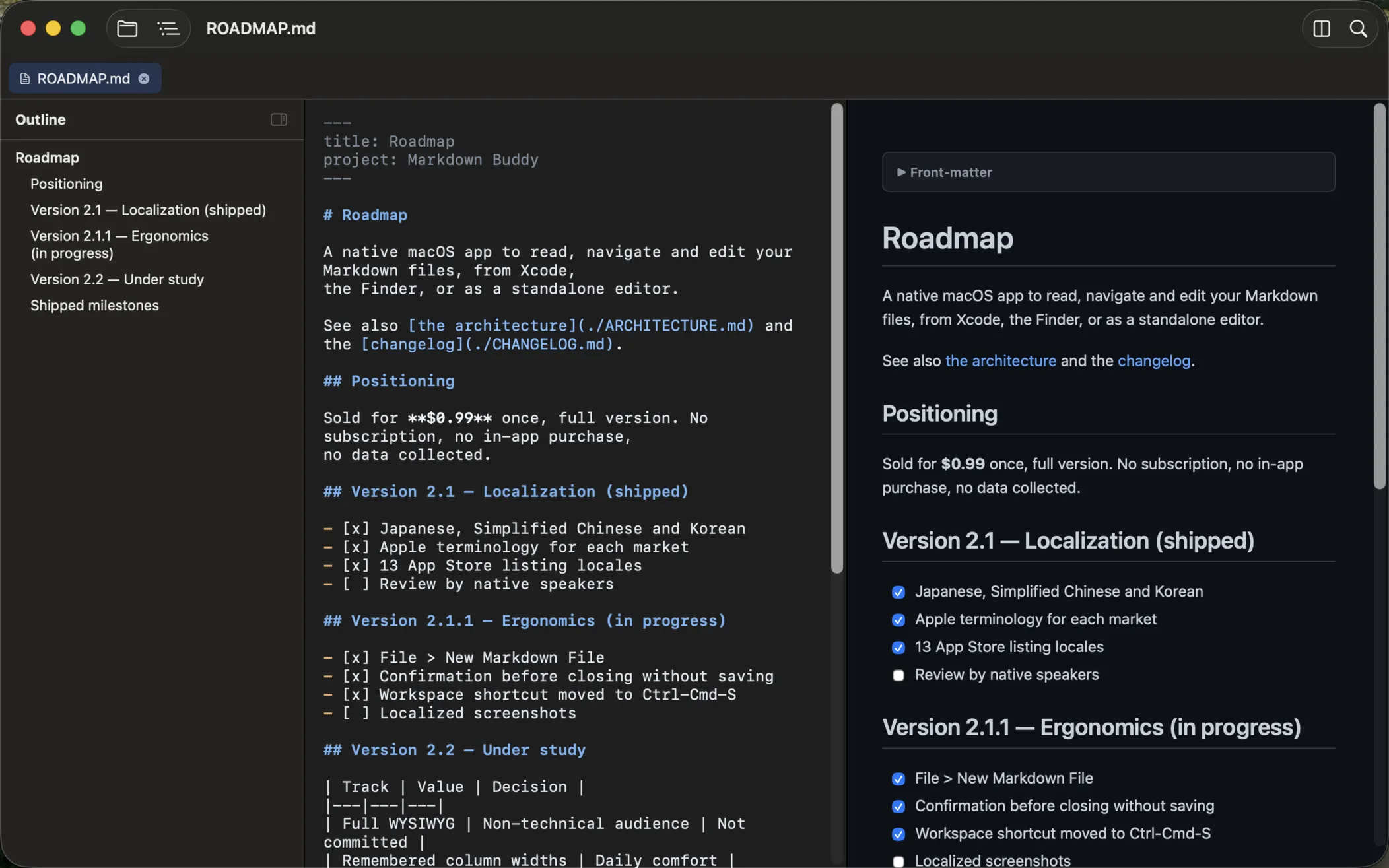
Click a checkbox in the preview and the file is updated: [ ] becomes [x]. The preview keeps your reading position while you edit.
📑
YAML front matterNEW 1.8
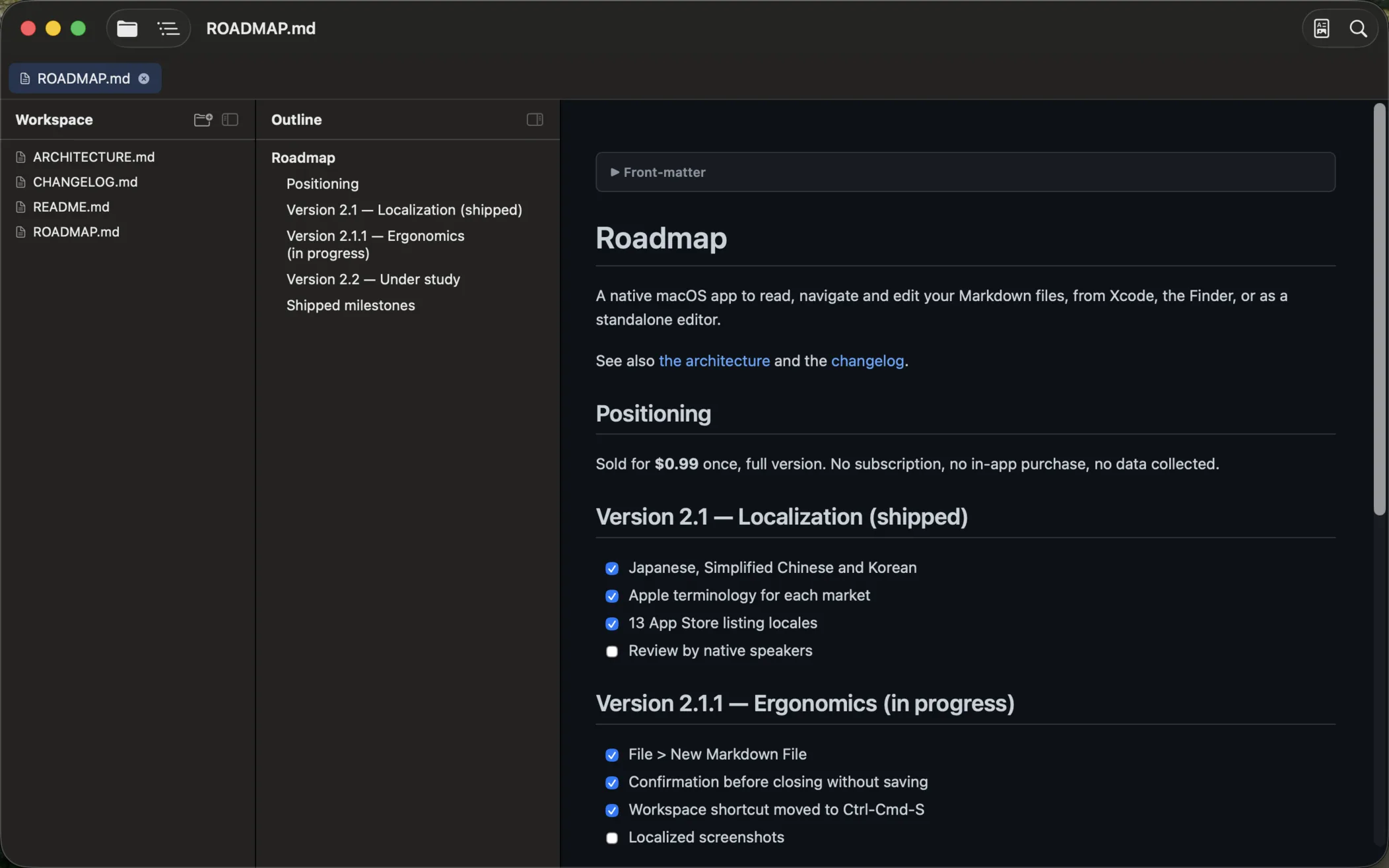
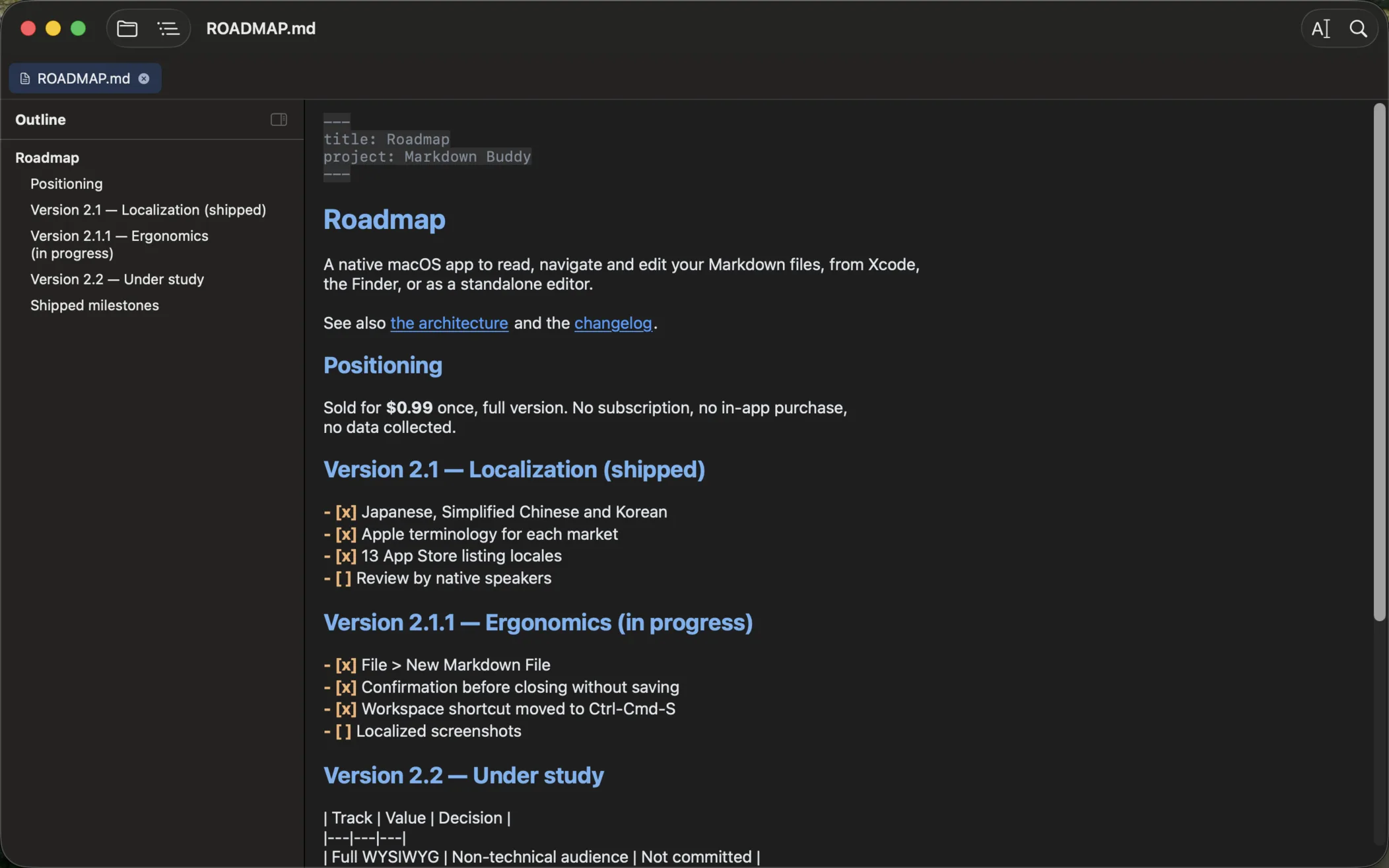
The dashes block at the top of files shows as a collapsible panel or stays hidden. Dimmed in the editor, no false headings in the outline.
🏷️
Tag filterNEW 1.8
Front matter tags feed a filter in the workspace sidebar: per-tag counts, multiple selection, folders without matches are hidden.
⌨️
Link autocompletionNEW 1.8
Type ]( in the editor and pick a workspace .md file: the relative path is inserted with the closing parenthesis.
🌐
Eight interface languagesNEW 2.1
Menus, settings and every screen in English, French, German, Spanish, Italian, Japanese, Simplified Chinese and Korean, following the wording of each market.
📄
Live PreviewNEW 2.0
Write Markdown, see the document. Headings, bold and code are styled as you type, and the markers disappear except in the paragraph you are editing.
✏️
Edit mode with syntax highlighting
Cycle Rendered / Source / Side-by-side with ⌘⇧R. Markdown syntax colored as you type, synchronized scrolling, auto-save optional.
🔒
Formatting shortcuts
⌘B for bold, ⌘I for italic, ⌘K for links. Smart toggle: press ⌘B on bold text and the markers are removed. Native Undo/Redo.
📁
Workspace tree
Open a folder (⌘⇧O) and browse every .md in a tree sidebar. Tabs stay readable when many are open, ⌃Tab moves between them, and the session is restored on launch.
🔍
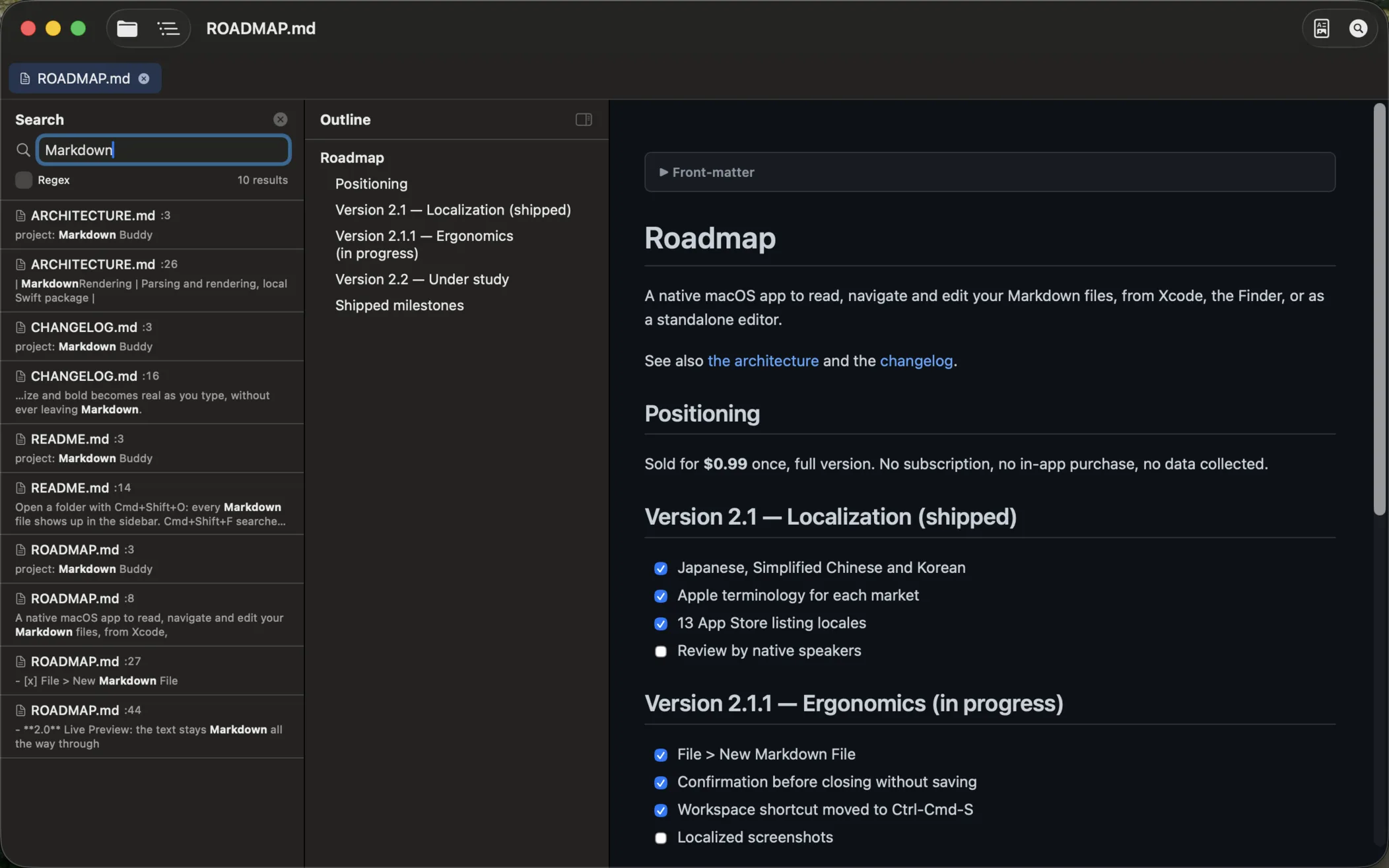
Passage search
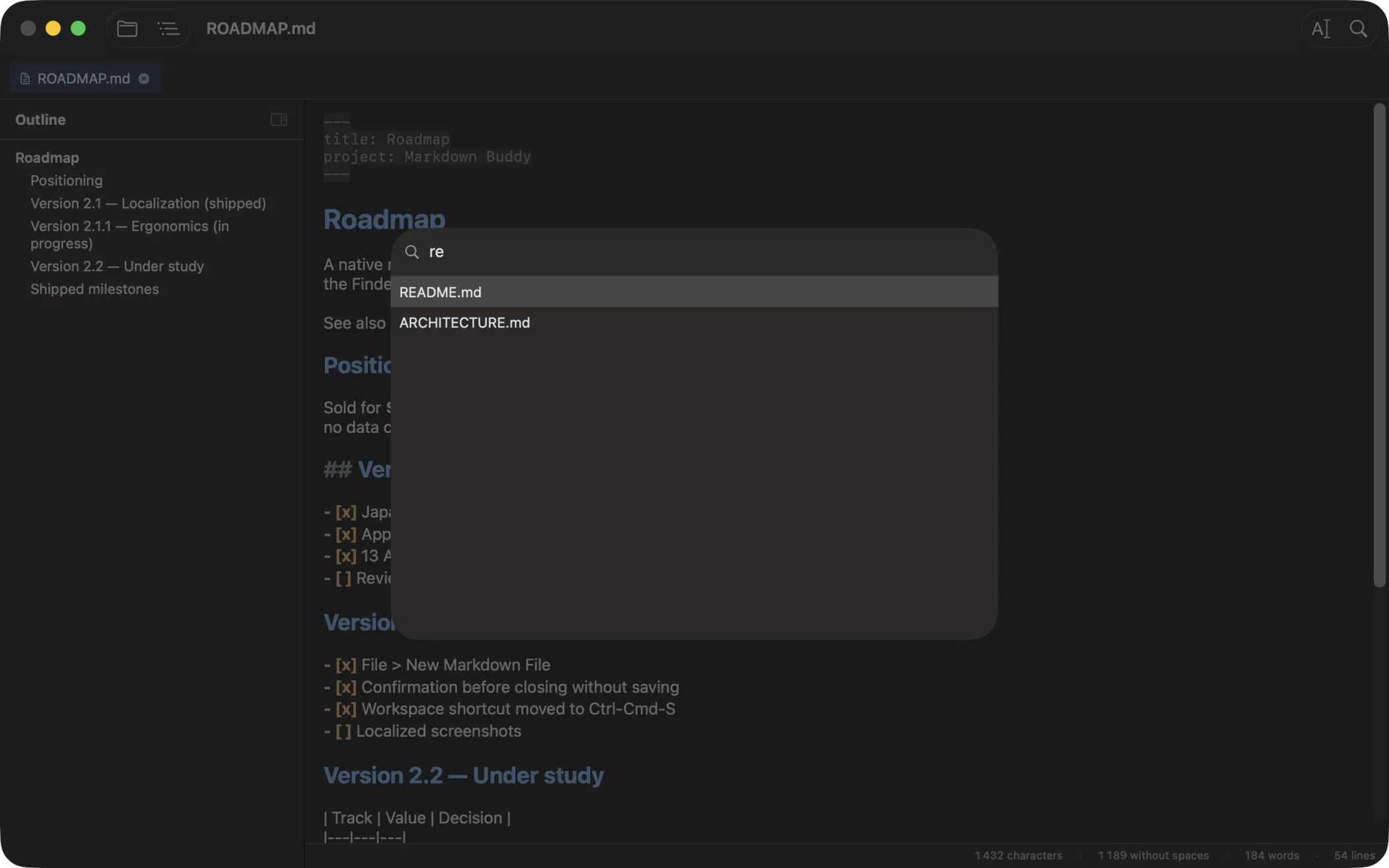
⌘⇧F finds the sections that hold your words, in any order and ignoring accents, even when they are split between heading, file name and text. Ranked by relevance, words highlighted. Exact lines and regex remain. New in 2.8: search by meaning, so a section that says the same thing in other words comes back too, computed on your Mac with no network. A section found only by meaning carries a "by meaning" label.
🔗
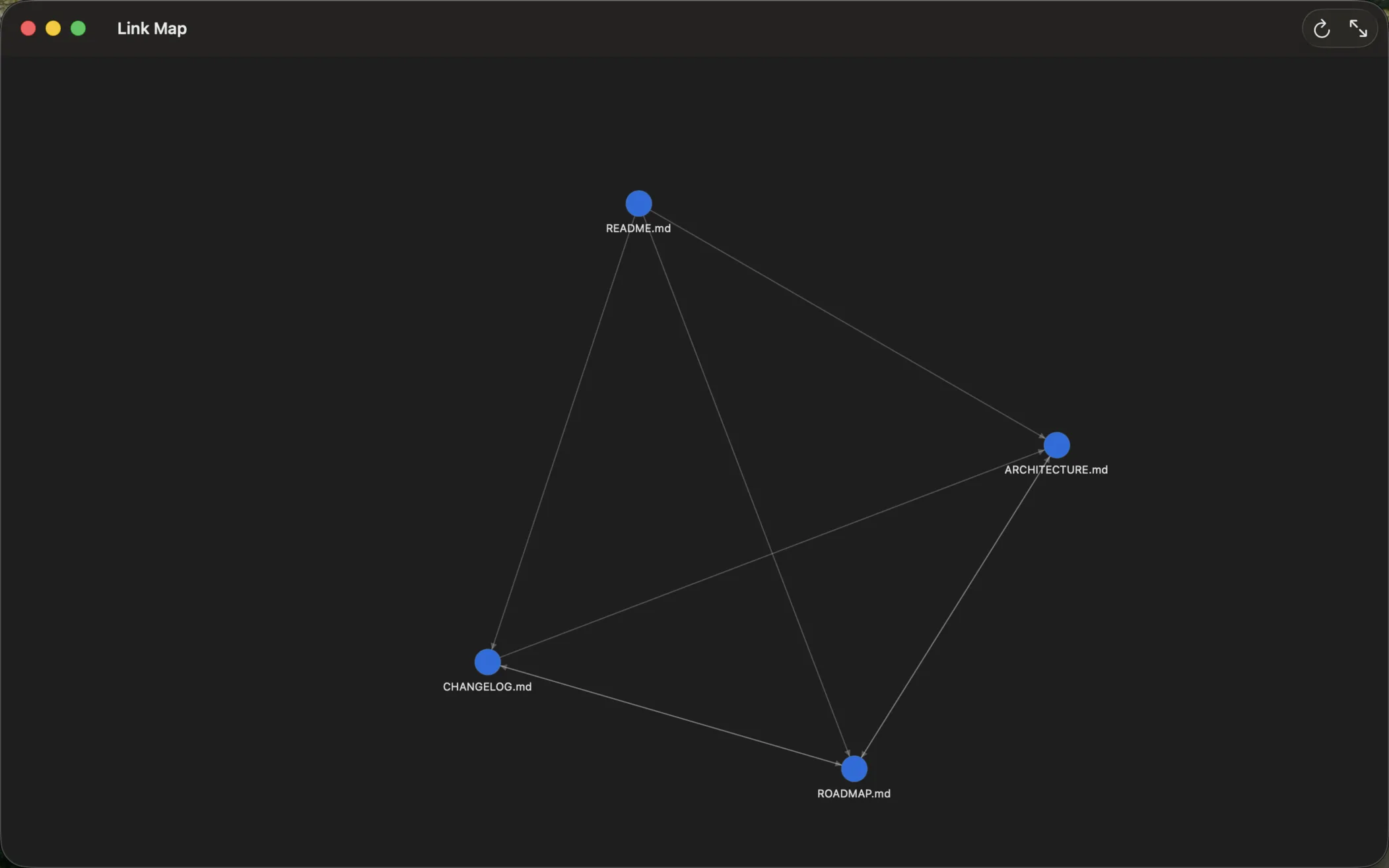
Link Map
⌘⇧G opens a graph view of the links between every .md file. Broken links are flagged and listed. Click a node to open the document.
📄
QuickLook in Finder
Hit Space on any .md file in Finder for an instant rendered preview. Thumbnails in Icons, Columns and Gallery views.
⚙️
Native Xcode Extension
Integrates directly into Xcode's Editor menu. One keyboard shortcut and you're good to go.
🛠️
Preferences (⌘,)
Appearance, font sizes, default workspace folder, session restore. Toggle Mermaid and KaTeX support.
🌙
Dark Mode
Light, dark or following macOS: the Appearance setting switches the whole app, editor included, with GitHub-style rendering in both.
🖨️
Print & PDF export
Print from the standard macOS dialog or export the full preview as a clean PDF (⌘⇧E).
⚡
Auto-refresh
The preview updates automatically when you save the file or another editor changes it.
🔐
Secure & native
App Sandbox, Hardened Runtime, no data collected. Built natively in Swift, distributed through the Mac App Store. A document opened on its own asks once for its folder, then shows its images.